
Mermaid Diagram Rendering
Automatically render Mermaid code as visual diagrams.
Overview
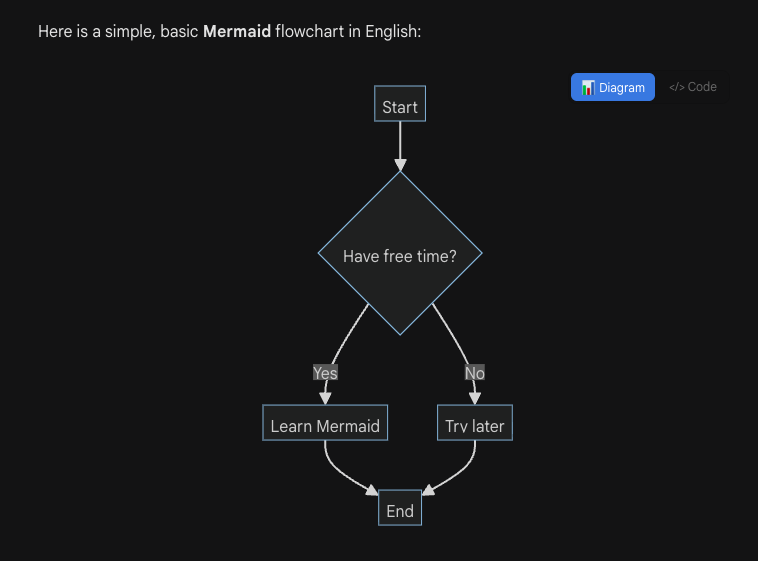
When Gemini™ outputs Mermaid code blocks (flowcharts, sequence diagrams, Gantt charts, etc.), Voyager automatically detects and renders them as interactive diagrams.
Key Features
- Auto-detection: Supports
graph,flowchart,sequenceDiagram,gantt,pie,classDiagram, and all major Mermaid diagram types - Toggle view: Switch between rendered diagram and source code with one click
- Fullscreen mode: Click the diagram to enter fullscreen with zoom and pan support
- Dark mode: Automatically adapts to page theme
How to Use
- Ask Gemini to generate any Mermaid diagram code
- The code block is automatically replaced with the rendered diagram
- Click the </> Code button to view source code
- Click the 📊 Diagram button to switch back to diagram view
- Click the diagram area to enter fullscreen
Fullscreen Controls
- Scroll wheel: Zoom in/out
- Drag: Pan the diagram
- +/-: Toolbar zoom buttons
- ⊙: Reset view
- ✕ / ESC: Close fullscreen
Compatibility & Troubleshooting
Note
- Firefox Limitation: Due to environment restrictions, Firefox uses version 9.2.2 and does not support new features like Timeline or Sankey.
- Syntax Errors: Rendering failures are often due to syntax errors in Gemini's output. We are collecting "bad cases" to implement automatic patches for common generation errors in future updates.
Contributors
No contributors
Changelog
No recent changes