
NanoBanana Option
Browser Compatibility
Currently, the NanoBanana feature is not supported on Safari due to browser API limitations. We recommend using Chrome or Firefox if you need to use this feature.
Safari users can manually upload their downloaded images to banana.ovo.re for processing (though success is not guaranteed for all images due to varying resolutions).
AI Images, kept pure.
Images generated by Gemini™ come with a visible watermark by default. While this is intended for safety, there are creative scenarios where you need a perfectly clean slate.
Lossless Reconstruction
NanoBanana uses a Reverse Alpha Blending algorithm.
- Not AI Inpainting: Traditional watermark removal often uses AI to "smear" the area, which destroys pixel details.
- Pixel Perfection: We use mathematical calculations to precisely remove the transparent watermark layer, restoring the 100% original pixels.
- Zero Quality Loss: The processed image remains identical to the original in all non-watermarked areas.
How to Use
- Enable it: Find "NanoBanana Option" at the end of the Voyager settings panel and toggle it on.
- Auto-process: Every image you generate will now be automatically processed in the background.
- Download directly:
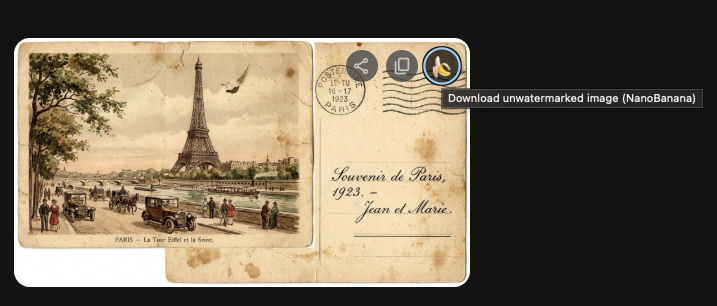
- Hover over a processed image and you'll see a 🍌 button.
- The 🍌 button completely replaces the native download button to ensure you always get the 100% unwatermarked image directly.
Acknowledgement
This feature is based on the gemini-watermark-remover project by journey-ad (Jad), which is a JavaScript port of the original C++ implementation by allenk. We are grateful for their contributions to the community. 🧡 The retained MIT notices are available in THIRD_PARTY_NOTICES.md.
Privacy & Security
All processing happens locally in your browser. Your images are never uploaded to any third-party servers, ensuring your privacy and creative security.