
Sidebar Width
Folder names too long to see? Or is the sidebar taking up too much precious chat space?
Now you can freely adjust the width of the sidebar.
How to Adjust
- Open the Voyager settings panel (click the extension icon in the top right of your browser).
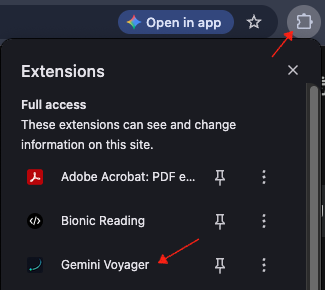
- Find the Sidebar width option in General Settings.
- Drag the slider to choose the width that feels right for you.
- Narrow: Save space and focus on the conversation.
- Wide: See full folder names clearly at a glance.
Supported Platforms
This feature supports both:
- Google Gemini
- Google AI Studio
Your settings are saved automatically and will apply the next time you open the page.
Contributors
No contributors
Changelog
No recent changes