
Formula Copy
Voyager makes it effortless to reuse mathematical formulas and scientific symbols. It supports one-click copying of LaTeX source code and Microsoft Word-compatible MathML format.
Introduction
When you ask Gemini to derive formulas or write mathematical expressions, it usually renders them using LaTeX. While beautiful, extracting the source code to use in your own papers, documents, or editors often requires manual effort.
Voyager provides seamless support for this:
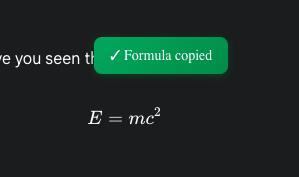
- Auto-Detection: Voyager automatically identifies LaTeX formulas rendered on the page.
- Copy Button: When you hover over a formula, a copy icon appears on its right side.
- Format Options: Click the icon to choose:
- Copy LaTeX: Copies standard LaTeX source, ideal for Overleaf, Markdown editors, etc.
- Copy MathML: Copies MathML source, the best format for pasting directly into Microsoft Word.
Features
- Word Compatibility: With MathML support, you can paste complex AI-generated formulas directly into Word documents while maintaining perfect editable formatting.
- Context Preservation: Not only copies the formula itself but also preserves its mathematical context.
- Instant Response: Processed entirely locally for immediate results.
Usage Tips
- Academic Writing: When writing papers in Word, have Gemini derive formulas, then use MathML copy-paste to avoid the hassle of manual entry in the Word Equation Editor.
- Note Taking: When taking notes in Obsidian or Notion, simply copy the LaTeX source directly.
Contributors
No contributors
Changelog
No recent changes