
Make It Yours
The default experience is great. But you might want it perfect. Customize every pixel.
Cinema Mode
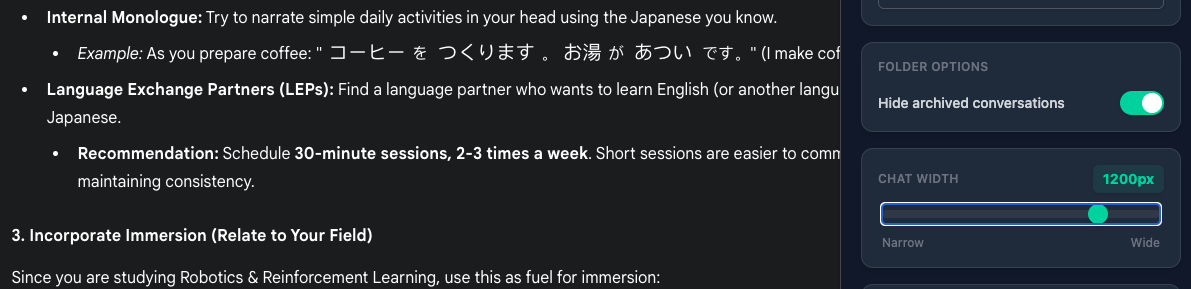
Why view the future through a tiny keyhole? Voyager lets you expand the chat width.
- Wide: 1400px for coding and complex tables.
- Focused: 800px for reading.
- You decide: Use the slider to find your sweet spot.
Control
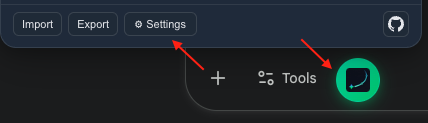
Click the extension icon to access the control center.
- Scroll Mode: Natural or classic.
- Timeline Position: Put it where it feels right.
- Visual Effects: Pick
Snow,Sakura, orRainfor a seasonal atmosphere.
Custom Order
Too many sections in the popup, and the ones you use most are buried at the bottom?
Hover over any settings card and ▲/▼ arrows appear in the top-right corner. Click to move a card up or down. Your layout is saved automatically and persists across sessions.
Atmosphere
Voyager is not limited to utility tweaks. You can also change the mood of the page.
- Snow: Soft drifting flakes for a calm winter feel.
- Sakura: Floating cherry blossom petals for a lighter spring vibe.
- Rain: A cinematic rain overlay with angled streaks and subtle splash ripples.
- Smooth switching: Turning an effect off or switching to another one lets existing particles fade out naturally.
Open Settings
Adjust Width
Contributors
No contributors
Changelog
No recent changes