
Mermaid Diagram Rendering
Automatically render Mermaid code as visual diagrams.
Overview
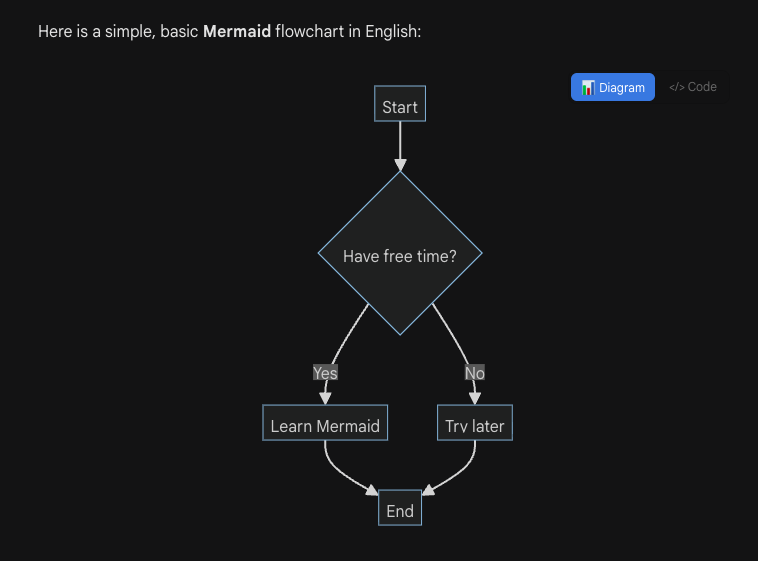
When Gemini™ outputs Mermaid code blocks (flowcharts, sequence diagrams, Gantt charts, etc.), Voyager automatically detects and renders them as interactive diagrams.
Key Features
- Auto-detection: Supports
graph,flowchart,sequenceDiagram,gantt,pie,classDiagram, and all major Mermaid diagram types - Toggle view: Switch between rendered diagram and source code with one click
- Fullscreen mode: Click the diagram to enter fullscreen with zoom and pan support
- Dark mode: Automatically adapts to page theme
How to Use
- Ask Gemini to generate any Mermaid diagram code
- The code block is automatically replaced with the rendered diagram
- Click the </> Code button to view source code
- Click the 📊 Diagram button to switch back to diagram view
- Click the diagram area to enter fullscreen
Fullscreen Controls
- Scroll wheel: Zoom in/out
- Drag: Pan the diagram
- +/-: Toolbar zoom buttons
- ⊙: Reset view
- ✕ / ESC: Close fullscreen
Compatibilidade e Solução de Problemas
Nota
- Limitação do Firefox: Devido a restrições do ambiente, o Firefox usa a versão 9.2.2 e não suporta novos recursos como Timeline ou Sankey.
- Erros de sintaxe: Falhas de renderização geralmente ocorrem devido a erros de sintaxis na saída do Gemini. Estamos coletando "bad cases" para implementar correções automáticas em atualizações futuras.
Contributors
No contributors
Changelog
No recent changes