
Sincronização na Nuvem
Sincronize suas pastas, biblioteca de prompts e outros dados no Google Drive para manter sua experiência consistente em todos os seus dispositivos.
Recursos
- Sincronização entre dispositivos: Mantenha suas configurações sincronizadas em vários computadores usando o Google Drive.
- Privacidade de dados: Os dados são armazenados diretamente no seu próprio armazenamento do Google Drive, garantindo a privacidade sem servidores de terceiros.
- Sincronização flexível: Suporte para upload manual e download/mesclagem de dados.
INFO
Em breve: A próxima versão suportará a sincronização de conversas marcadas com estrela.
Como usar
- Clique no ícone da extensão no canto inferior direito da página do Gemini™ para abrir o painel de configurações.
- Localize a seção Sincronização na Nuvem.
- Clique em Fazer login com o Google e conclua a autorização.
- Uma vez autorizado, clique em Fazer upload para a nuvem para sincronizar seus dados locais com a nuvem, ou em Baixar e mesclar para trazer os dados da nuvem para sua máquina local.
💡 Sincronização rápida
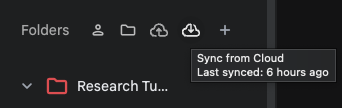
A maneira mais fácil é clicar nos botões "Fazer upload para a nuvem" ou "Baixar e mesclar" na parte superior da área de pastas na barra lateral esquerda.
WARNING
Recomendação de segurança: Proteção dupla
Embora a sincronização na nuvem ofereça grande conveniência, recomendamos enfaticamente que você também faça backups periódicos dos seus dados principais usando arquivos locais.
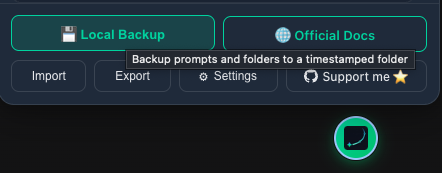
- Exportação Completa: Exporte um pacote completo contendo todas as configurações, pastas e prompts em "Backup e Restauração" na parte inferior do painel.
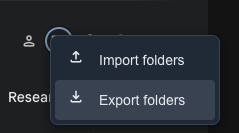
- Exportar Todas as Pastas: Clique em "Exportar" na seção "Pastas" do painel para fazer backup de todas as suas pastas e conversas, excluindo os prompts.
Contributors
No contributors
Changelog
No recent changes